
Docker has established itself as one of the leading tools for developers and IT teams looking to standardize and automate development and production environments. It allows applications and their dependencies to be packaged into containers, ensuring that software runs consistently regardless of the machine or operating system being used.
In this article, we’ll explore the key concepts of Docker, the importance of Docker Compose, and how you can use them to quickly and efficiently create complete environments.
What Is Docker?
Docker is a platform that uses containers to run applications. Unlike traditional virtual machines, containers share the host operating system’s kernel, making them much lighter and faster.
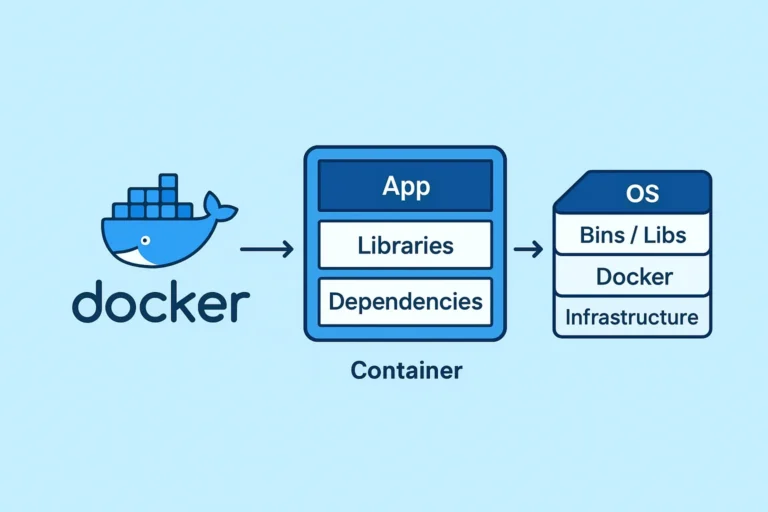
A container is like an isolated “box” that contains everything an application needs to run: application code, dependencies (libraries, packages, etc.), configurations, and a minimal file system.
This allows the application to work consistently across different environments, whether on your computer, a server, or in the cloud.
Docker allows developers to create fast, standardized, and easy-to-share environments, eliminating the infamous “it works on my machine” problem.
Difference Between a Virtual Machine and a Container
Virtual Machine (VM): requires a complete operating system to run each application.
Container: shares the host operating system’s kernel, making it lighter, faster, and more efficient.
Docker Advantages:
Portability: The same container can run on any system with Docker installed.
Scalability: Makes it easier to scale services up or down in production.
Isolation: Each container has its own dependencies and does not interfere with other services.
Speed: Allows you to spin up a development environment in seconds.
What Is Docker Compose?
Docker Compose is a tool that allows you to define and manage multiple containers using a single configuration file (docker-compose.yml).
With it, you can orchestrate services such as a web server, database, cache, queues, and supporting tools with a single command:
$docker-compose up -d
Main Docker Commands
# Download an image from Docker Hub
$docker pull nome_da_imagem

# List downloaded images
$docker images

# Remove an image
$docker rmi nome_da_imagem
# Create and run a container
$docker run image_name

# Create and run in interactive mode
$docker run -it ubuntu bash

# Create and run in the background (detached mode)
$docker run -d image_name

# Name a container and map ports
$docker run -d --name my_container -p 8080:80 image_name

# List running containers
$docker ps

# List all containers (including stopped ones)
$docker ps -a

# Stop a container
$docker stop my_container

# Start a stopped container
$docker start my_container

# Restart a container
$docker restart my_container

# Remove a container
$docker rm my_container

# Remove all containers
$docker container rm -f $(docker container ls -a -q)

# Remove all images
$docker image rm -f $(docker image ls -a -q)

# Remove all volumes
$docker volume rm -f $(docker volume ls -q)

# Remove all networks
$docker network rm -f $(docker network ls -q)
# View the logs of a container
$docker logs my_container

# Access a running container
$docker exec -it my_container bash
# List Volumes
$docker volume ls

# Create a volume
$docker volume create my_volume

# Use a volume when running a container
$docker run -v my_volume:/path image_name
# Start the services defined in $docker-compose.yml
$docker-compose up -d

# Stop the services
$docker-compose down

# View logs
$docker-compose logs -f

# Restart a single service
$docker-compose restart service_name
Want to see it in action?
Check out my project on GitHub: a customizable Docker Compose setup that lets you easily and efficiently manage multiple versions of PHP and databases, along with a Redis service and phpMyAdmin for database management. Check out the project on GitHub by clicking here.